NoBS Media Converter
A no-nonsense desktop app that converts local media files.
Batch convert video and audio files with per-item format selection, timestamp trimming, and progress tracking. No account, no cloud, no ads. Free, forever.
Features
Batch queue
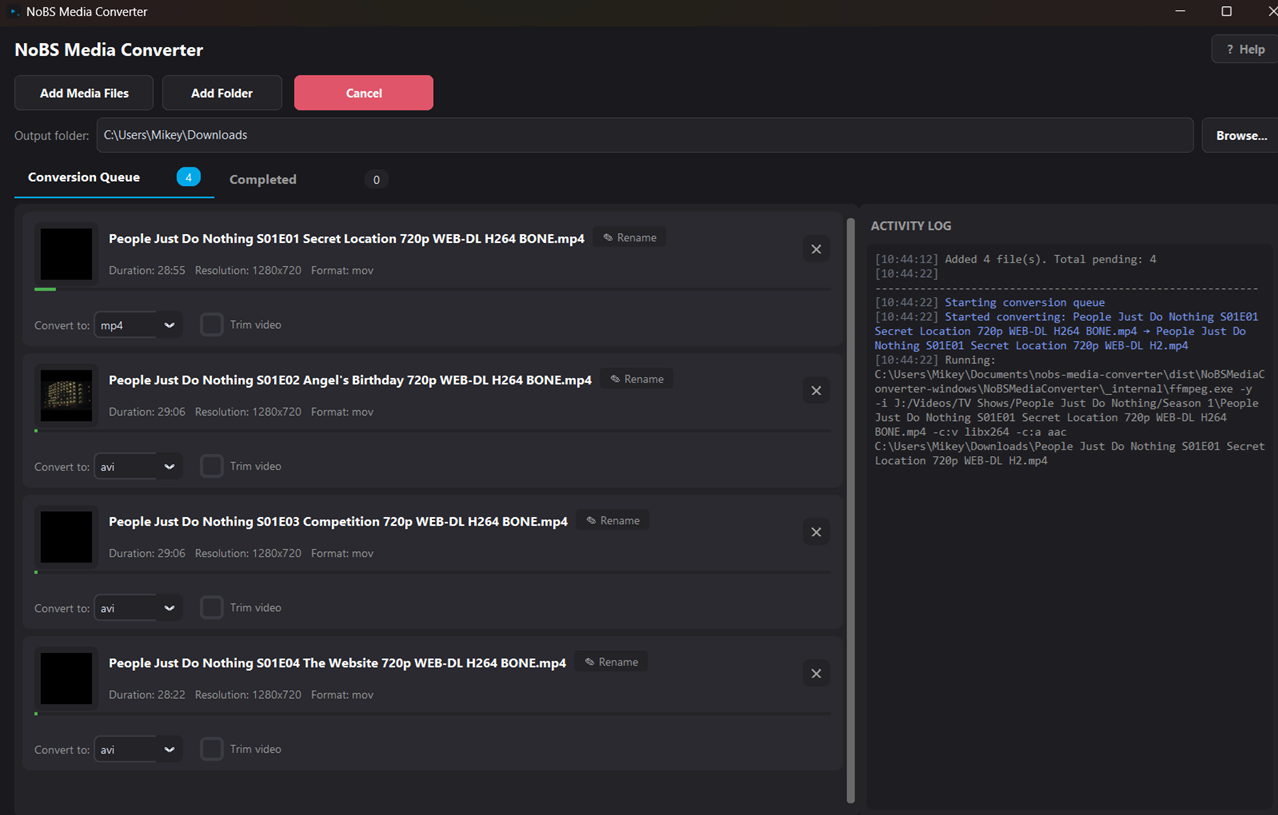
Convert multiple files at once. Supports per-item format selection including mp4, avi, mkv, mov, webm, gif, mp3, flac, wav, aac, and ogg.
Rich metadata
View duration, resolution, format, and file size metadata for every item in your conversion queue before starting.
Trim duration
Set custom trim start and end times for any conversion to extract exactly the portion of the media you need.
Rename outputs
Rename output files directly in the conversion queue to keep your media library organized.
Video to Image Sequence
Extract every frame as a PNG or JPEG image — perfect for editing, thumbnails, archiving, or pulling stills from your footage.
Select a video file
Pick any supported video — MP4, AVI, MOV, MKV, or WebM. The app reads the duration, resolution, and frame rate automatically.
Choose your output format
Set the format to PNG or JPEG per item in the queue. Each video frame is extracted as a high-quality standalone image.
Add trim times (optional)
Set start and end timestamps to extract frames only from the portion you need instead of the entire video.
Convert and collect
Pick an output folder and start the conversion. Frames are named sequentially and ready to use for editing, stop-motion, or analysis.
Supported Formats
Using it
Converting your media is simple, local, and fast.
Add Media
Click Add Media Files to select files, or Add Folder to scan a folder.
Configure Queue
Listed items show (duration, resolution, format, size) and lets you select your desired format. Extra options for adding trim start/end times, and renaming the output.
Start Conversion
Pick an output folder, then click Start Conversion.
Download & Install
Free Download
- Download NoBSMediaConverter-windows.zip.
- Unzip anywhere and run NoBSMediaConverter.exe. Nothing to install.
- No signup required
- All features as many times as you want for as long as you want
- FREE FOREVER